CO2 monitors that work with HouseExhale
Any monitor that measures true CO2 works. Two connect directly, so the nights record themselves. One monitor is enough: move it between rooms and keep it for rechecks after any change.
What you’re checking for:800 ppm or less, on average, while you sleep. Why 800
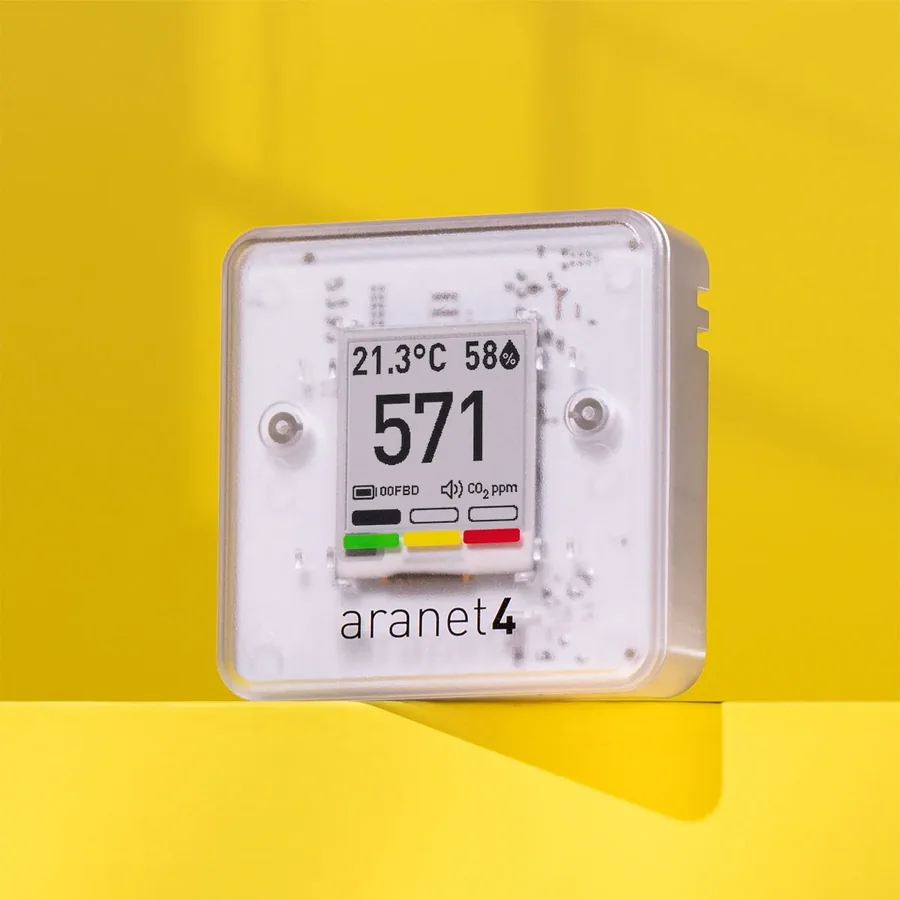
Aranet4 HOME
Reads itselfPair once with the six-digit code on its screen. Each morning the app reads the night from the monitor’s memory, on iPhone or Android, so there’s nothing to type.
- Battery powered; records every 5 minutes by default
- Its light turns yellow at 1,000 ppm by default; you can set it to 800 to match the HouseExhale goal
- Keeps about 90 days of history in its own app
Reading last night by hand
Open the Aranet Home app, sync, and look at last night on the CO2 history. Note the highest point while people were asleep.
Calibration
Aranet4 calibrates itself when it gets fresh outdoor air now and then (Aranet says about 8 hours in every 30 days). If it reads well above outdoor air, Aranet’s FAQ explains a manual calibration in fresh air.
Aranet4 user guide; Aranet: colored thresholds; Aranet FAQ: placement and calibration
SwitchBot Meter Pro CO2
Android listens overnightNo pairing. When you start tonight’s check, your Android phone listens to the monitor’s Bluetooth signal and saves a reading every minute. Leave the phone in the room.
- Use USB power: CO2 updates about every minute, versus every 30 minutes on batteries
- A recorded night is scored by its average while you slept, the measure the sleep research uses
- Get the CO2 version; the plain Meter Pro measures only temperature and humidity
- On iPhone, type the number in the morning instead
Reading last night by hand
Open the meter in the SwitchBot app, tap the CO2 chart and look at last night. Note the highest point while people were asleep.
Calibration
SwitchBot’s calibration: put the meter outdoors in open air for 1 minute, then in the SwitchBot app open the meter, tap the gear icon, Calibrate, CO2 Monitor. It takes about 5 minutes; keep your phone nearby and don’t move the meter.
SwitchBot: CO2 update frequency; SwitchBot: export meter data; SwitchBot: calibrate the CO2 sensor
Other CO2 monitor
One number a dayEach morning, type the night’s highest reading. If your monitor’s app exports a CSV file, you can import that instead and see the whole curve.
- It must measure true CO2 in ppm, usually labelled NDIR
- The highest reading runs a little above the night’s average, so a typed night errs on the strict side
- Monitors that show “eCO2” or a general air-quality score estimate CO2 and won’t give a fair answer
- Plugged in is usually best for overnight checks
Reading last night by hand
Look at last night’s CO2 history and note the highest point while people were asleep. With no history, note the reading when you wake up.
Calibration
Look for “calibration” in the manual. Most true CO2 (NDIR) monitors calibrate against outdoor air, either on their own over time or with a button or app setting.
If you’re buying one
Both work well with the app. The difference is price and how the nights get recorded.
- SwitchBot Meter Pro (CO2 Monitor), model W4900010Our budget pick. Listed at $69.99 on SwitchBot’s US store on October 3, 2026, before tax and shipping. You may need your own USB wall adapter. SwitchBot
- Aranet4 HOMEBattery powered, easy to read, and widely trusted; the most hands-off with the app. Listed at $249 by a US retailer on September 4, 2026. Aranet
We don’t earn anything from these links. Prices change; check the seller.
Where to put it
- About head heightOn a dresser, shelf or nightstand, 3–6 ft (1–2 m) off the floor: roughly where heads are while sleeping, or a little above.
- At least 2 ft (60 cm) from anyone’s faceBreath is full of CO2. Too close and you measure a person, not the room.
- Away from windows, doors and ventsAbout 3 ft (1 m) from them, and out of direct sun. Fresh air blowing past the monitor hides what the rest of the room is breathing.
- Same spot every nightKeeping the spot the same is what makes before-and-after fair.
New CO2 sensors can read a little high or low for the first week or two while they settle. One night won’t decide anything: the report looks at the pattern across nights. More on placement
Already have one?
Set it up in the app tonight. It takes about ten minutes, and the first answer comes after two or three nights.